

Digital Reads
We have a variety of free digital resources that you can download anywhere and anytime; including eBooks, eAudiobooks, eMagazines and eNewspapers

A great selection of titles to read and listen to with BorrowBox
BorrowBox has a huge selection of fiction and non-fiction that you can download and enjoy for free as a library member. The App makes it easy to browse, listen and read your library books wherever you are.
You can select up to 10 eBooks and 5 eAudiobooks including ones you have reserved. Once downloaded they are available for 21 days, after which they will automatically expire – unless you renew to get more time. You can return the title earlier if you have finished reading / listening to it and move on to your next!
You will need to be a member of Nottingham City Libraries and create an account or register for each individual service using your library card number and PIN/password.
Click here for BorrowBox help and troubleshooting. (You’ll need to have registered for the service already and have your library card and PIN handy).

Take your Library Anywhere with uLibrary
Browse, borrow and enjoy the best in eAudiobooks on your smartphone or tablet.
Sign in securely with your library membership to access your library’s full collection of uLIBRARY’s digital content for free – it’s really that simple.
Discover your new favourite story
- Search for your favourite genre with ease with intuitive genre sliders and in-depth search options.
- Select, download and loan up to 10 titles for a maximum of three weeks. Books can be renewed if you need more time.
- Try out the title before downloading with eAudio previews available.
- Find recommended reads through our world first integrated book clubs, Talking Books and Bookworms as well as a ‘Next Read’ feature that populates based on the books you’ve previously enjoyed.
- Easily locate your previously downloaded titles to enjoy them all over again.
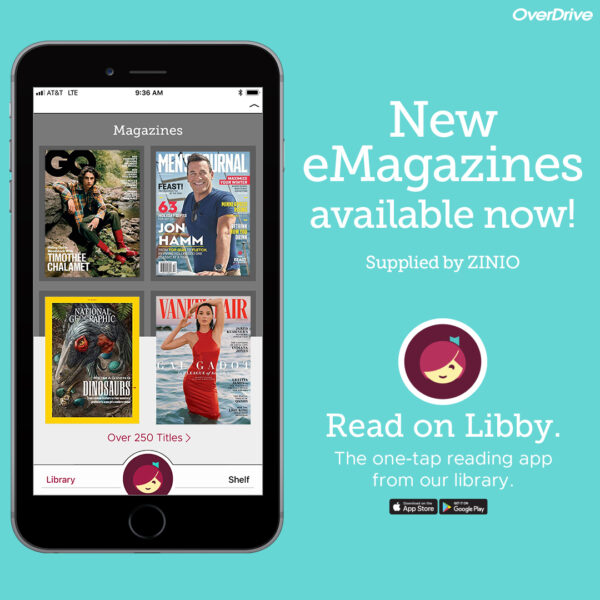
eMagazines with Libby from OverDrive
Checkout and read an unlimited number of eMagazines. Titles are available to read for 21 days; after which they will automatically be returned. Get the app today, or use it in your web browser at libbyapp.com.
- Popular titles such as Us Weekly, National Geographic, Good Housekeeping, Vanity Fair, and Rolling Stone
- Special interest titles such as PC World, Bon Appétit, Minecraft World, and Women’s Fitness
- Titles in a variety of languages including Spanish, Chinese, Japanese, Italian, German, French, and more
First time set up: Download the Libby app or go to libbyapp.com. Select Yes to the question ‘Do you have a library card?’, tap ‘I’ll search for a library’, type in Nottingham and choose Nottingham City Libraries. Enter your Library card number and PIN/Password on the next screen. Click on Sign-in, then Next – you are now all set to enjoy over 3,000 eMagazines.
Technical help – Visit the OverDrive help pages here for answers to technical problems, including a list of compatible devices. For help with the Libby App visit the Libby Help website.

eNewspapers/ eMagazines with PressReader
Keep up to date with today’s edition or catch up with old news. You can choose to see the full image of the newspaper including pictures, a text view only, or be read to using the ‘listen’ feature.
This is a free service for Nottingham City Library members*. You will need your library card number and PIN/password to sign in and access PressReader. If you are not a member you can join online now. For help with using PressReader for the first time click here.